

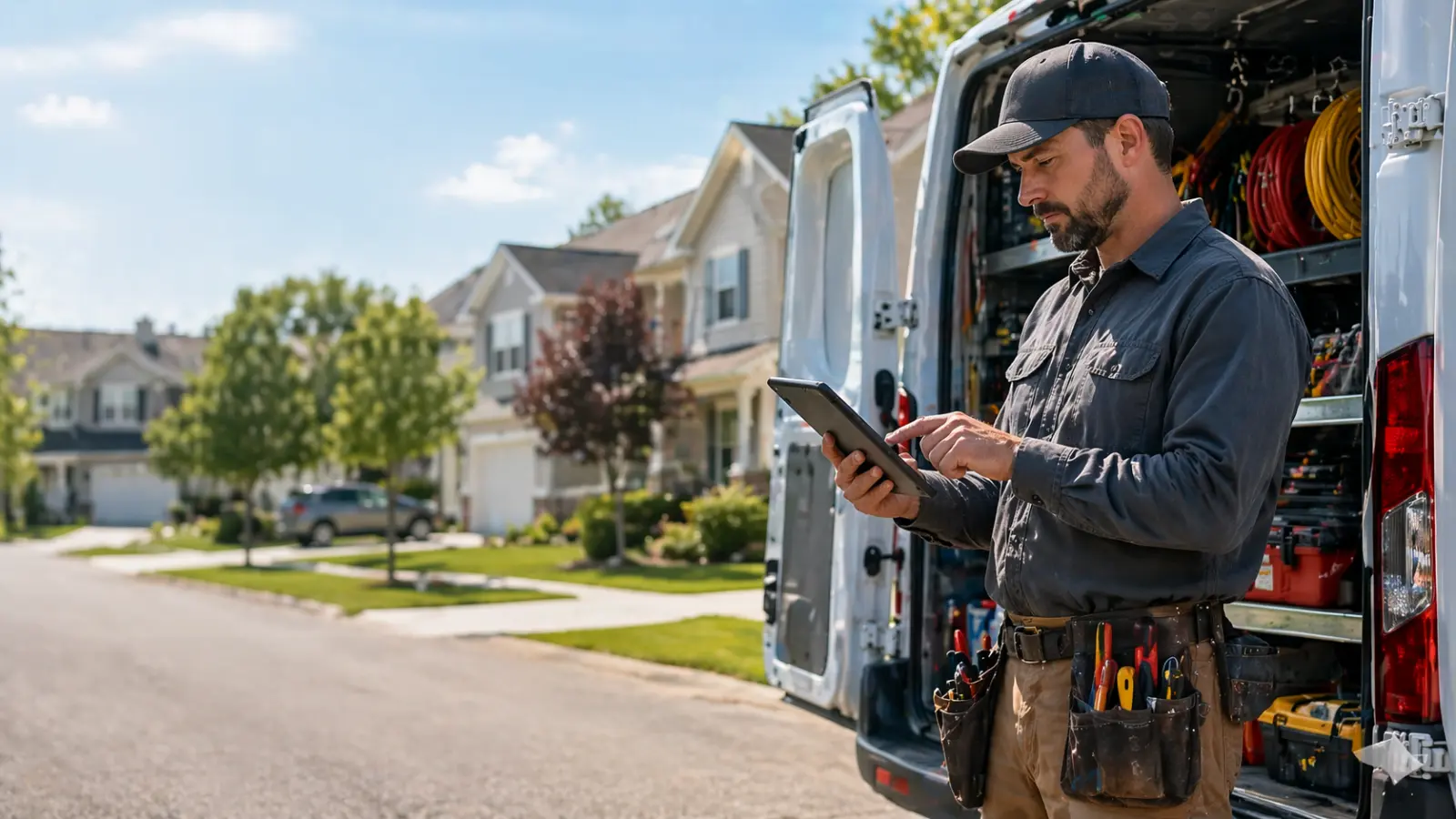
Digital pricing tools help plumbing contractors build consistent estimates in the field and send professional invoices faster.
Table of Contents
- What is plumbing pricing software?
- Why plumbers need dedicated pricing software
- Key features to look for
- Quick comparison: 7 tools at a glance
- Top 7 plumbing pricing tools reviewed
- Who needs plumbing pricing software?
- Common mistakes to avoid
- How to choose the right tool for your crew
- Frequently asked questions
- Final verdict
What is Plumbing Pricing Software?
Plumbing pricing software is a digital tool that helps plumbing contractors build accurate job estimates, manage a flat-rate price book, and generate invoices — all from a single platform. Instead of pricing each job from scratch, you store your standard rates for labor and materials once, then build quotes in minutes by selecting tasks from your pre-built library.
Modern plumbing pricing software goes well beyond a simple calculator. The best platforms connect your estimate directly to your scheduling, invoicing, and payment collection workflow — so a job that gets approved in the morning can be invoiced and paid before you leave the site.
34%
Faster quote-to-approval vs. manual quoting
22%
Fewer under-priced jobs reported by contractors
2x
Faster invoice collection with online payment links
Unlike generic invoicing tools like QuickBooks or Wave, plumbing pricing software is built specifically for the trades — with labor rate management, material markups, flat-rate pricing books, and field-friendly mobile apps your technicians can actually use on a job site. According to the Bureau of Labor Statistics, there are over 500,000 active plumbing contractors in the US alone — a market where speed and accuracy on estimates directly impacts profitability.
Why Plumbers Need Dedicated Pricing Software
Most plumbers still price jobs the old way — a notepad, a gut feeling, and a call to the shop. The result? Inconsistent quotes, forgotten materials, and margins that quietly bleed out job after job.
Plumbing pricing software changes the game by centralizing your price book, automating labor rates, and generating professional quotes in minutes instead of hours.
📈 The Problem
- Quoting from memory leads to missed costs
- Inconsistent pricing damages client trust
- Manual invoicing delays cash collection
- No paper trail for disputes or callbacks
✅ The Solution
- Flat-rate price books with real labor costs
- Same-day estimates sent from the job site
- Auto-invoicing tied to job completion
- Integrated payments via card or ACH
Key Features to Look For in Plumbing Pricing Software
Not all plumbing pricing software is built the same. Here are the 6 features that separate the tools worth paying for from the ones that will frustrate your techs after two weeks.
1. Flat-Rate Price Book
Pre-built prices for your most common jobs. Techs select a task, the price builds automatically — no mental math, no under-pricing. Look for import/export capabilities so you can bring in your existing rates.
2. Mobile-First Design
Your techs are in the field, not behind a desk. The app must work on a phone, load fast on 4G, and function offline when the signal drops. Test the mobile app before you buy — don’t rely on screenshots.
3. Quote-to-Invoice Automation
The best plumbing pricing tools convert an approved estimate into an invoice automatically. This eliminates re-entry errors and cuts collection time. If the tool requires you to manually recreate the invoice, that’s a red flag.
4. Online Payments
Clients should be able to pay by card or ACH directly from the invoice link — no phone calls, no checks. Look for transparent processing fees (typically 2.9% + 30¢). Some platforms like Housecall Pro also offer consumer financing.
5. Accounting Integration
If you use QuickBooks, Xero, or another accounting tool, the sync must be real-time and bidirectional. Manual exports create duplicate work and introduce errors. FieldEdge and Jobber both do this well.
6. Job History & Equipment Tracking
Knowing what was done at a property last time (parts installed, issues flagged, warranty dates) helps your techs upsell and avoids repeat diagnostic time. This is standard in Jobber, ServiceTitan, and FieldEdge.
Quick Comparison: 7 Plumbing Pricing Tools
Here’s how the top tools stack up across the features that matter most to plumbing contractors.
| Tool | Best For | Price Book | Invoicing | Starting Price | Rating |
|---|---|---|---|---|---|
| Jobber | Small-mid crews (1–25 techs) | ✓ Custom | ✓ Integrated | $49/mo | 9.1/10 |
| ServiceTitan | Large plumbing companies | ✓ Flat-rate + custom | ✓ Full suite | Custom | 8.9/10 |
| Housecall Pro | Solo plumbers & small teams | ✓ Basic | ✓ Online pay | $59/mo | 8.5/10 |
| FieldEdge | QuickBooks users | ✓ Flat-rate | ✓ QB sync | Custom | 8.3/10 |
| Workiz | Fast-growing teams | ✓ Template-based | ✓ Integrated | Free, then $225/mo | 8.0/10 |
| PricingPro | Estimate-only focus | ✓ Advanced | ✗ Export only | $39/mo | 7.6/10 |
| Knowify | Plumbing + construction | ✓ Project-based | ✓ Progress billing | $99/mo | 7.8/10 |
Top 7 Plumbing Pricing Tools Reviewed
1. Jobber — Best Overall for Small to Mid-Sized Plumbing Crews
Jobber is the go-to tool for plumbing contractors who want a clean, professional quoting and invoicing workflow without enterprise complexity. Its price book lets you store flat-rate prices for your most common jobs, so your techs can quote on-site in under 5 minutes.
Pros
- Intuitive mobile app for field techs
- Seamless quote-to-invoice workflow
- Online card & ACH payments built in
- Strong reporting on revenue per job
Cons
- Price book lacks advanced flat-rate depth
- Higher tiers needed for full automation
From $49/mo · 14-day free trial · 9.1 / 10
2. ServiceTitan — Best for Large Plumbing Companies
ServiceTitan is the most powerful plumbing software on the market. Built for 10+ technician teams, it comes with a flat-rate price book integrating national pricing databases. Techs can present tiered options (Good / Better / Best), driving average ticket values up by 15–20%.
Pros
- Industry-leading flat-rate price book
- Good / Better / Best presentations
- Dispatch board + GPS tracking
- Deep revenue analytics
Cons
- Often $200–500+/mo
- 4–8 week onboarding process
- Overkill for solo operators
Custom pricing · Demo only · 8.9 / 10
3. Housecall Pro — Best for Solo Plumbers & Small Teams
Housecall Pro is the simplest tool on this list. Build quotes with line items, add job site photos, and send via SMS in under 2 minutes. Its built-in consumer financing option means fewer lost jobs on high-ticket repairs like pipe re-routes or water heater replacements.
Pros
- Easy to learn (under 1 hour)
- Built-in consumer financing
- Online booking widget
- Auto review requests after jobs
Cons
- Basic price book
- Limited reporting on lower plans
From $59/mo · 14-day free trial · 8.5 / 10
4. FieldEdge — Best for Plumbers Already Using QuickBooks
FieldEdge was built from the ground up with QuickBooks integration as a core feature. Every invoice, payment, and job cost syncs in real time — no manual export. Its flat-rate price book is structured by task category so techs can quote on the spot.
Pros
- Native real-time QuickBooks sync
- Flat-rate price book
- Maintenance agreement tracking
Cons
- Pricing requires a demo call
- UI feels dated vs. Jobber
Custom pricing · Demo only · 8.3 / 10
5. Workiz — Best for Fast-Growing Plumbing Teams
Workiz combines estimating, dispatching, invoicing, and a VoIP phone system under one roof. Reusable estimate templates and in-app upsell prompts help techs sell more on every visit.
Pros
- Built-in VoIP phone system
- Reusable estimate templates
- Easy to onboard new hires
Cons
- No advanced flat-rate database
- Reporting needs improvement
From $65/mo · 7-day free trial · 8.0 / 10
6. PricingPro — Best Dedicated Estimating Tool
PricingPro does one thing and does it well. Import material costs, set labor rates, and let the software calculate job totals automatically. Estimates export as branded PDFs and work alongside any invoicing tool you already use.
Pros
- Lowest price ($39/mo)
- Setup under 30 minutes
- Branded PDF export
Cons
- No invoicing built in
- Browser only — no mobile app
From $39/mo · 14-day free trial · 7.6 / 10
7. Knowify — Best for Plumbers Who Also Do Construction Work
Knowify’s project-based estimating and progress billing are ideal for contractors who handle multi-phase jobs alongside regular service work. Break projects into phases, assign costs, and invoice progressively as each phase completes.
Pros
- Progress billing for multi-phase projects
- Subcontractor management
- Lien waiver tracking
Cons
- Higher price ($99/mo base)
- Learning curve for service-only crews
From $99/mo · 14-day free trial · 7.8 / 10
Who Needs Plumbing Pricing Software?
Plumbing pricing software isn’t just for large companies. Here’s a breakdown of who benefits most — and at what stage of growth.
Solo Plumber
You’re doing 5–15 jobs a week and still quoting from memory or a spreadsheet. A lightweight tool like Housecall Pro or PricingPro will save you 30–60 minutes per day and eliminate underpricing mistakes.
Best fit: Housecall Pro, PricingPro
Small Team (2–10 Techs)
You need consistent pricing across all your techs — so every quote looks the same regardless of who’s on site. Jobber’s shared price book and mobile app solve this cleanly.
Best fit: Jobber, Workiz
Growing Company (10–50 Techs)
At this scale, you need flat-rate pricing with Good/Better/Best presentations, dispatch integration, and revenue reporting per technician. ServiceTitan or FieldEdge are the right level.
Best fit: ServiceTitan, FieldEdge
If you do both service work and larger construction projects, see our guide on free construction estimating software — some tools handle both workflows better than others.
Common Mistakes to Avoid When Choosing Plumbing Pricing Software
Most contractors who end up abandoning their plumbing pricing software made one of these mistakes at the start. The PHCC (Plumbing-Heating-Cooling Contractors Association) reports that poor software adoption is one of the top operational challenges for small plumbing businesses.
1. Choosing based on features instead of fit
ServiceTitan has the most features on this list. It’s also the most complex and expensive. A 2-tech plumbing shop doesn’t need enterprise-grade analytics — they need something their guys will actually use in the field without a 3-day training.
2. Skipping the free trial
Every serious platform offers a 7–14 day trial. Use it with a real job — not a demo job. Price an actual service call, send a real estimate, and try to collect payment. You’ll know within 3 days if it fits your workflow.
3. Not accounting for the real total cost
The advertised price is rarely what you pay. Add: base subscription + per-tech fees + payment processing (2.9%+ per transaction) + any add-on modules. A $49/mo plan with 5 techs and active payment processing can easily reach $200+/mo.
4. Not migrating your existing price book
The #1 reason techs abandon new software is an empty price book. Before launch day, import all your rates — drain clearing, fixture installs, pipe repair, water heater replacements. If the tool doesn’t support CSV import, ask about onboarding support before you commit.
5. Switching mid-busy season
Plan your switch for a slow period — early January or late September in most US markets. Rolling out new plumbing pricing software during peak season (summer, winter freeze events) guarantees a rough adoption experience for your whole team.
For a broader look at FSM software beyond just pricing, check our in-depth Jobber review — it covers the full platform in detail, including dispatching, CRM, and reporting.
How to Choose the Right Plumbing Pricing Software
Before you trial anything, nail down your actual bottleneck. Most plumbers overspend on features they don’t need. If you want an independent comparison of user ratings across platforms, Capterra’s plumbing software directory is a useful starting point alongside this guide.
- Solo or 1–2 techs → Housecall Pro
- 3–25 techs, cleanest workflow → Jobber
- Already using QuickBooks → FieldEdge
- Scaling fast, need comms built in → Workiz
- Estimates only, invoicing covered → PricingPro
- Large company, enterprise-grade → ServiceTitan
- Service + construction mix → Knowify
1. Price Book Depth
Can you import rates? Flat-rate, time-and-material, or both?
2. Mobile Experience
Test the app yourself before committing — poor UX kills adoption.
3. Invoicing & Payments
Online pay, card, ACH, financing — what does the platform support?
4. Accounting Integration
Is the QuickBooks sync real-time and bidirectional?
5. True Total Cost
Base + per-tech fees + payment processing. The listed price is rarely the final price.
Not Sure Where to Start?
If you’re running a plumbing business with 1–10 technicians, start with Jobber’s 14-day free trial — shortest learning curve, cleanest quote-to-cash workflow, no credit card required.
Scaling beyond 10 techs? ServiceTitan‘s flat-rate price book and analytics justify the higher price tag at that level.
Frequently Asked Questions
What is plumbing pricing software?
Tools that help plumbers build accurate estimates, manage flat-rate price books, and generate invoices — often from a mobile device in the field.
Flat-rate vs. time-and-material — which is better?
Flat-rate gives clients a fixed price upfront — fewer disputes, better trust. Time-and-material is more flexible but harder to sell. Most platforms support both.
Can I use these tools on my phone?
Yes — Jobber, Housecall Pro, ServiceTitan, and Workiz all have iOS and Android apps with offline capability. PricingPro is browser-only.
How much does plumbing estimating software cost?
From $39/mo (PricingPro) to $500+/mo (ServiceTitan enterprise). Most small-team tools fall between $49–$99/mo.
Is it worth switching from spreadsheets?
For any business doing more than 5 jobs per week, yes. Time saved on quoting typically pays for the software within the first month.
Final Verdict
For most plumbing contractors, Jobber is the right call. Best balance of ease, price, and workflow. 14-day trial, no credit card.
10+ techs and $2M+ revenue? ServiceTitan‘s flat-rate price book and analytics justify the cost.
The best plumbing pricing software is the one your whole team actually uses — not the one with the longest feature list.
Final Verdict: Best Plumbing Pricing Software
For most plumbing contractors 1-10 techs, Jobber is the best plumbing pricing software. Solo operators: Housecall Pro. Large teams: ServiceTitan.
Compare: HVAC Estimating | Electrical Estimating | Jobber Review.
This post contains affiliate links. If you make a purchase through these links, we may earn a commission at no extra cost to you.
3 thoughts on “Plumbing Pricing Software: Top Tools to Estimate & Invoice Faster”