

The Short Answer
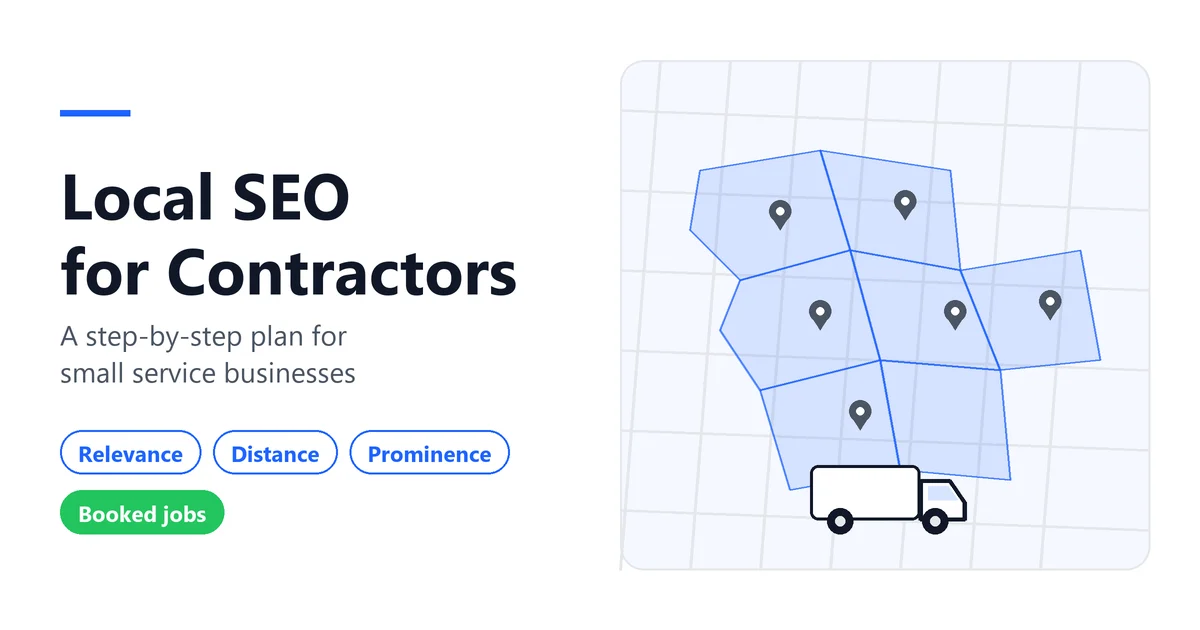
Local SEO for contractors means showing up in Google’s local results, the Map Pack and Google Maps, when people nearby search for your service. Google says local results depend mainly on three things: relevance, distance and prominence. You can’t pay Google for a better local ranking. For a shop with 1 to 10 techs, the plan is short: set up your Business Profile by the rules, build one solid page per service, ask every real customer for a review without steering it, keep your details consistent, and track calls and booked jobs instead of rankings.
What Local SEO Means for a Contractor
Search “water heater repair” or “electrician near me” and Google often shows a map with a short list of businesses, usually called the local pack or Map Pack, above the regular results. Local SEO covers both: your Google Business Profile, which feeds the map, and your website, which feeds the regular results and backs up your profile.
The goal is a phone that rings with the right jobs, in the right area, at a margin worth the drive. Most contractor SEO guides come from agencies that sell the service; this one separates what Google documents from what it hasn’t confirmed. Local SEO is also only one channel. If you’re weighing it against ads, referrals and follow-up, our contractor digital marketing guide puts it in that wider picture.
How Google Ranks Local Businesses: Relevance, Distance and Prominence
Google’s help page on local ranking names three main factors. Google’s summary sentence calls the third one “popularity,” and the section that explains it is titled “Prominence.” For a trade business, they work like this:
- Relevance: how well your profile matches what someone searched. Google asks for complete and detailed business info, and its category page states plainly that “the categories you select affect your local ranking.”
- Distance: how far your business is from the customer who’s searching. If the customer doesn’t share a location, Google uses what it knows about where they are. Editing your profile won’t change this one.
- Prominence: how well known your business is. Google mentions how many websites link to your business and how many reviews you have, and says more reviews and positive ratings can help your local ranking.
That’s the closest thing to an official list of Google Maps ranking factors.
What Google says
- Local results are “mainly based on” relevance, distance and popularity (prominence).
- “There’s no way to request or pay for a better local ranking.”
- Categories affect local ranking.
- Review count and positive ratings can help.
- Verification and complete, accurate information make you more likely to appear.
Not documented by Google
- How much each factor weighs. Google publishes no percentages.
- Any effect of posting often, review “velocity,” photo location data, or the size of your service area.
- Any minimum number of reviews you need to rank.
Sources: Google, tips to improve your local ranking; Google, manage your business category.
Google says: “There’s no way to request or pay for a better local ranking.”
Not documented by Google: how much each factor weighs, and any ranking effect from posts, geotagged photos, review speed or schema.
Sources: Google Business Profile Help, answers 7091, 7249669 and 3038177 (checked November 21, 2026).
Storefront, Service-Area or Hybrid?
- Storefront: customers come to a location with permanent signage during your posted hours. You show your address.
- Service-area business: you go to the customer. Google says a business without permanent on-site signage should be listed as a service-area business, and that service-area businesses should hide their address from customers. Its own example is a plumber who runs the business from home: that plumber clears the address from the profile.
- Hybrid: you serve customers at your location and at theirs. You can show an address and a service area, as long as the location is staffed and able to receive customers during the hours you list.
Once you hide your address, Google says your profile will only show your service area. If you don’t enter one, Google picks a local area for you, so it’s better to set it yourself.
The service-area rules are specific:
- You can list up to 20 service areas, such as cities or ZIP codes.
- You can’t set a radius. It has to be named places.
- The overall area shouldn’t extend farther than about 2 hours of driving from your base, though Google notes larger areas may suit some businesses.
- One profile covers the whole area you serve. A second profile is only allowed for a separate location with its own staff and service area.
Addresses have limits too. A virtual office isn’t eligible, and PO boxes or remote mailboxes aren’t acceptable. A coworking space only qualifies with clear signage, staff on site and customers received there during business hours. Renting a mailbox in the town you’d like to win breaks these rules.
Does hiding your address help you rank in more cities? Does a smaller area rank better? Google documents neither. Distance is still measured from the searcher.
Do customers come to a location with permanent signage during your listed hours?
Yes, and you don’t travel to customers
Storefront
Show your address.
Yes, and you also travel to customers
Hybrid
Show your address and add a service area.
No, you work at the customer’s place
Service-area business
- Hide your address, even if you work from home.
- Up to 20 service areas, set as cities or ZIP codes.
- No radius.
- About 2 hours of driving from your base.
- One profile for your area.
Not allowed: virtual offices, P.O. boxes, remote mailboxes, and coworking spaces without signage, customer reception and staff on site.
Not documented by Google: any ranking effect from the size of your service area or from hiding your address.
If you hide your address, your profile shows only your service area. Sources: Google Business Profile Help, answers 3038177, 9157481 and 2853879 (checked November 21, 2026).
Sources: Google, manage your service areas; Google, manage your business address; Google, guidelines for representing your business.
Why a Competitor With Fewer Reviews Ranks Above You
“I’ve got way more five-star reviews and I still don’t show up” is a common complaint. Reviews are only part of one factor, and the other factors can explain the gap.
- Distance. If the searcher is closer to your competitor, that alone can put them ahead, hidden address or not.
- Relevance. A competitor whose primary category matches the search more closely (“Electrician” versus a broader category, say) may simply be the better match for that query.
- Completeness and verification. Google says verified, complete and accurate profiles are more likely to show. Missing hours or services work against you.
- Links and reputation outside Google. Prominence includes links from other websites, not only reviews.
Lots of reviews and few calls can also mean visibility isn’t the problem at all. The phone may be going to voicemail, or quotes may be sitting without follow-up. Step 5 shows how to tell.
Step 1: Get Your Google Business Profile Basics Right
Start with the handful of things Google’s guidelines spell out.
Use your real business name
Google says your name should reflect your real-world name, as used consistently on your storefront, website and stationery, and as known to customers. Unnecessary information in the name “isn’t permitted, and could result in the suspension” of your profile. Google’s examples rule out taglines, hours, phone numbers, and service or location details. So a made-up name like “Mike’s Plumbing, Best Plumber Austin 24/7” (our example, not a real business) would break the rule.
Pick as few categories as possible
Google’s wording is direct: use as few categories as possible, as specific as possible. Choose the primary category that best describes the business, then add others only for what the business is, not for every service it offers. Google’s test is whether the category completes “This business IS a” rather than “this business HAS a.” Don’t use categories as keywords.
Get verified
Google decides which verification methods you’re offered, and it recommends video verification when you’re eligible. For a service-area business, the recorded video has to show where you operate (street signs or landmarks near your base, or your immediate neighborhood if you work from home), the tools or equipment you use for work, and proof that you run the business, such as unlocking a van with your branding or showing a permit or invoice in the business name. It must be a single unedited take of at least 30 seconds, recorded live on a phone through your Business Profile. Google says the review can take up to 5 business days.
Fill in the rest, honestly
Hours, services, phone, website and service areas. Google prefers a local phone number over a central call center, and it doesn’t allow numbers or links that send people anywhere other than the business itself. Photos and videos appear in Google’s tips as a way to show customers what you offer, with no stated effect on ranking. Add them because they help the homeowner decide.
Sources: Google, guidelines for representing your business; Google, verify your business; Google, verify your business with a video recording.
Step 2: Service Pages and City Pages That Deserve to Rank
Your website is where the profile’s “website” button lands and what ranks under the map. For a small shop, the structure can stay simple:
- A home page that says plainly what you do and where you work.
- One page per main service (drain cleaning, water heater install, panel upgrade, roof repair), with real detail: what the job involves, what affects the price, what the customer should expect.
- A page for a city or area only when you have something specific to say about it: jobs you’ve done there, local permit quirks, the housing stock you see a lot of, how fast you can get there.
City pages are where sites get into trouble. Google’s spam policies list “doorway abuse,” which includes multiple pages targeted at specific regions or cities that funnel users to one page. They also count blocks of text listing the cities a page is trying to rank for as keyword stuffing. A stack of city pages that only swap the town name fits that description.
Google’s local ranking page doesn’t mention city pages as a factor at all. A good test before you publish one: would a homeowner in that town learn something there that isn’t on your service page? If not, skip it.
Source: Google Search Central, spam policies.
Step 3: Reviews Without Breaking Google’s Rules
Google’s rules go well beyond “don’t buy reviews.” Its Maps content policy says merchants shouldn’t:
- Offer incentives such as payment, discounts or free services in exchange for a review.
- Selectively ask happy customers for reviews, or discourage negative ones. This is often called review gating.
- Request specific content, like asking the customer to mention the service, the city or a tech’s name.
- Ask staff for a set number of reviews, or for reviews with specific content.
- Require or pressure customers to leave a review while on the premises.
Google also removes reviews based on a conflict of interest (current or former employees, family, competitors) and reviews showing unusual volumes or patterns that point to rating manipulation.
What’s allowed is simple. Google lets merchants ask for reviews that reflect a genuine experience, as long as they don’t offer incentives or try to influence the rating or the content. You can share a review link or QR code from your profile. Google doesn’t prescribe a routine for contractors. One way to stay inside that wording is to mention at the end of the job that a review would help, then send the link afterward so the customer decides on their own time, with no pressure to do it then and there. Asking for “5 stars” crosses the line, because it tries to influence the rating.
Google is stricter than the FTC
The FTC’s rule on consumer reviews went into effect on October 21, 2024. According to the FTC’s Q&A, the rule doesn’t prohibit every incentive, only incentives with an express or implied requirement that the review express a particular sentiment. It contains no specific prohibition on asking only customers you think are happy, though the FTC says this practice could violate the FTC Act. For Maps reviews, Google prohibits both incentives and selective asking, so build your process around Google’s rules.
Google also recommends replying to reviews: professional, short, conversational rather than promotional, and never sharing a reviewer’s private information. On its local ranking tips page, it says positive reviews and helpful replies can help your business stand out. It doesn’t say replies move rankings, and nothing in its documentation supports stuffing them with keywords.
Software can help here, but only for the boring part: making sure the request goes out after every job instead of whenever someone remembers. If you use a field service management system to close jobs, check that its review messages go to every customer and don’t include a star target or suggested wording.
Sources: Google Maps user contributed content policy; Google, tips to get more reviews; FTC, Consumer Reviews and Testimonials Rule Q&A.

1. Job finished
2. Ask in person, the same way for every customer
3. Send your Google review link or QR code afterward
| Do (Google allows) | Don’t (Google prohibits) |
|---|---|
| Who: ask every customer, happy or not | Ask only the customers you expect to be happy |
| When: after the job, without pressure | Require or pressure a review while you’re still on site |
| How: your Google review link or QR code | Offer a discount, gift or free service for a review |
| What to ask: for an honest account of their experience | Ask for 5 stars, or ask them to mention a service, a city or a name |
| Your team: explain the process | Give staff a review quota or content to request |
| Afterward: reply briefly and professionally, with no private details | Reviews from employees, family or competitors |
Google vs FTC: the FTC’s 2024 review rule is narrower on incentives than Google’s policy. Google prohibits any incentive for a review, so follow Google: no incentive, no filtering, no scripted content.
Sources: Maps User Generated Content Policy (7400114), Google Business Profile Help (7035772), FTC Consumer Reviews and Testimonials Rule Q&A (checked November 21, 2026).
Step 4: Consistent Listings and LocalBusiness Schema
Listings
Your name, phone and service details should match wherever customers actually look: your website, Google, Bing Places, Apple Business Connect, Yelp and the trade directories you use. Google asks for complete and accurate information. It says nothing about “Ave” versus “Avenue” costing rankings. Fix what’s wrong, like an old phone number, and don’t chase commas.
LocalBusiness schema
Schema is a small block of code that describes your business in a format search engines read. Google explains that search results may show a knowledge panel with a business’s details, and that LocalBusiness structured data lets you tell it about details such as business hours. It asks you to use the most specific subtype possible, so a plumbing company would use Plumber rather than the generic LocalBusiness. Google also says it doesn’t guarantee that features using structured data will show up.
As far as Google documents, schema isn’t a Map Pack ranking factor. Add it if your platform makes it easy, and don’t pay extra for it as a ranking fix.
Source: Google Search Central, LocalBusiness structured data.
Step 5: Measure Calls and Booked Jobs, Not Rankings
Because distance depends on where the searcher is, one screenshot of “position 3” doesn’t tell you much. Two free tools from Google tell you more.
- Your Business Profile performance report (verified profiles only) shows views, the search terms people used to find you, clicks on your call button, direction requests, website clicks and other interactions. One detail matters: Google says this data includes activity from both organic results and Google Ads. If you run ads, don’t read every call as “free” SEO.
- Google Search Console shows which queries bring people to your website, with impressions, clicks and position in Google Search. It covers the website side of the picture.
Then go one step further, because a call isn’t a job. Once a month, write down four numbers for calls from Google:
Illustrative example: hypothetical figures, not a real Fielddio client.
| Month | Calls from Google | Quotes sent | Jobs booked | Gross margin on those jobs |
|---|---|---|---|---|
| Month 1 | 30 | 18 | 9 | $3,600 |
| Month 2 | 34 | 17 | 7 | $2,450 |
| Month 3 | 33 | 22 | 12 | $4,800 |
In this made-up example, calls barely move from month 2 to month 3, while quotes and booked jobs jump. Whatever changed happened after the phone rang, in quoting and follow-up, and you’d never see it without the last three columns. If you pay for SEO, set that cost against the margin column, not the call count.
One weak spot to check is the phone itself. If calls from your profile go to voicemail while you’re on a ladder, better visibility just produces more missed calls. Some field service tools cover that part. Workiz, for example, sells Genius Phone (call insights and ad tracking) and Genius Answering (answers incoming calls and inbox messages) separately from its plans. Pricing is on request, and there’s a 7-day free trial.
Sources: Google, Business Profile performance; Google Search Console; Workiz plans.
Calls
Quotes
Booked jobs
Gross margin
| Each month, write down | Where it comes from | This month |
|---|---|---|
| Calls from your profile | Business Profile Performance report (includes Google Ads activity) | ___ |
| Direction requests and website clicks | Same report | ___ |
| Top search terms | Same report | ___ |
| Website clicks and queries from Google Search | Google Search Console | ___ |
| Quotes sent | Your own records | ___ |
| Jobs booked | Your own records | ___ |
| Revenue and gross margin on those jobs | Your own records | ___ |
Then compare three ratios month to month: quotes ÷ calls, jobs ÷ quotes, and margin per job.
Source: Google Business Profile Help, answer 9918094 (checked November 21, 2026).
Not sure whether your bottleneck is visibility, missed calls or follow-up? Assess Your Field Service Business Performance with Fielddio’s Free Business Assessment. It takes about 3 to 5 minutes, and no credit card is needed.
What You Can Skip
A small shop has limited hours. These can come off the list.
- Geotagging photos. Google doesn’t document any effect of photo location data on ranking, and its photo guidelines don’t mention it. One published test by an agency, on 27 lawn care profiles, found an improvement on only 1 of the 7 measures it tracked. Take good photos for customers and skip the metadata tricks.
- Posting on your profile “for the algorithm.” Posts aren’t among the factors Google lists. Post when it helps customers (a seasonal offer, a new service area), not on a schedule someone sold you.
- Hundreds of directory submissions. Get the main listings right and consistent. Google doesn’t point to mass submissions on sites nobody visits.
- Anyone who guarantees #1. Google says no one can guarantee a #1 ranking on Google, and that you can’t pay for a better local ranking. A guarantee is a reason to walk away.
- Copy-paste city pages. See Step 2. They can do more harm than good.
Local SEO Myths vs What Google Documents
| Common claim | What Google’s documentation says | Status |
|---|---|---|
| Keywords in your business name help you rank | Name must reflect your real-world name; unnecessary information isn’t permitted and can lead to suspension | Against the rules |
| You need a storefront to show on Google Maps | Service-area businesses can be listed with a hidden address | False |
| A virtual address in the target city helps | Virtual offices aren’t eligible; PO boxes aren’t acceptable | Against the rules |
| More categories means more searches | Use as few categories as possible, as specific as possible | Against the guidelines if overdone |
| A bigger service area means you rank in more towns | Up to 20 areas, about 2 hours driving; no ranking effect documented | Not documented |
| Ask customers to mention the service or city in their review | Merchants shouldn’t request specific content | Against the rules |
| A small discount for an honest review is fine | Incentives in exchange for a review aren’t allowed on Google Maps | Against the rules (stricter than the FTC) |
| Schema gets you into the Map Pack | Can help Google show details; no guarantee; not a listed ranking factor | Not documented |
| Someone can guarantee you #1 | No one can guarantee a #1 ranking | False |
What to Do First, Next, and Later
Treat this as an order of work. Google publishes no timeline for local rankings, so the list makes no promise about when results show up.
First
- Decide: storefront, service-area or hybrid. Hide your address if customers don’t come to a signed location.
- Fix your profile name to your real business name.
- Trim categories to the few that describe what the business is.
- Set up to 20 named service areas within about 2 hours of driving.
- Check hours, phone and website link. Start verification if you haven’t.
- Note your current numbers from the performance report so you have a starting point.
Next
- Write or improve one page per main service.
- Add a city page only where you have something specific to say.
- Set up a review request that goes to every customer after every job, with your Google link and no incentive or suggested wording.
- Correct your main listings (Bing, Apple, Yelp, the directories you actually use).
- Connect Search Console to your website, and add LocalBusiness schema if your platform makes it simple.
Later, and on an ongoing basis
- Reply to reviews, short and professional.
- Keep hours, services and service areas up to date.
- Once a month, fill in calls, quotes, jobs and margin.
- Fix the weakest link first: if calls are steady but jobs drop, look at answering and follow-up before buying more visibility.
FAQ: Local SEO for Contractors
What is local SEO for contractors?
It’s getting a service business into Google’s local results, mainly the Map Pack and Google Maps, through your Business Profile, website, reviews and listings.
What’s the difference between local SEO and regular SEO?
Regular SEO is about your website ranking in the list of results. Local SEO adds the map and Google’s local factors. Distance is the big difference: where the searcher is changes who shows up.
How long does local SEO take to work for a contractor?
Google doesn’t publish a timeline for rankings, and anyone who promises one is guessing. A few steps do have documented timings: Google says approved service-area edits may take up to 48 hours to show, and that a verification review can take up to 5 business days. It says nothing about how long ranking changes take after that.
How much does contractor SEO cost?
The basics in this guide cost time more than money: the Business Profile, its performance report and Search Console are free tools from Google. This guide doesn’t quote agency prices, because there’s no official benchmark for them. Before paying monthly, ask how the agency will report calls and booked jobs, not just rankings, and be wary of any ranking guarantee.
Do I still need SEO if I run Google Ads or Local Services Ads?
They do different jobs. Ads stop when you stop paying; your profile and website don’t. If you run both, Google’s profile performance report mixes organic and ads activity, so track where booked jobs really come from.
How do I rank on Google Maps without a storefront?
List yourself as a service-area business, hide your address, and name up to 20 areas within about 2 hours of driving. No virtual office, no PO box. Then work on accurate categories, a verified and complete profile, genuine reviews and useful service pages.
Where to Start
Before spending more on visibility, check whether it’s really your main problem, or whether calls and quotes leak somewhere else first.
Assess Your Field Service Business Performance: Fielddio’s Free Business Assessment takes about 3 to 5 minutes, with no credit card required.
Sources and Methodology
Fielddio compares public sources. We don’t run hands-on tests of tools or rankings. Every rule in this guide comes from the official pages below, consulted on November 21, 2026. Where a claim is common but not documented by Google, we say so. The photos in this article are generated illustrative images, not real job sites or real customers.
- Google Business Profile Help, Tips to improve your local ranking on Google: https://support.google.com/business/answer/7091
- Google Business Profile Help, Guidelines for representing your business on Google: https://support.google.com/business/answer/3038177
- Google Business Profile Help, Manage your service areas: https://support.google.com/business/answer/9157481
- Google Business Profile Help, Manage your business address: https://support.google.com/business/answer/2853879
- Google Business Profile Help, Manage your business category: https://support.google.com/business/answer/7249669
- Google Business Profile Help, Verify your business on Google: https://support.google.com/business/answer/7107242
- Google Business Profile Help, Verify your business with a video recording: https://support.google.com/business/answer/14271705
- Google Business Profile Help, Tips to get more reviews: https://support.google.com/business/answer/3474122
- Google Business Profile Help, Business Profile performance and insights: https://support.google.com/business/answer/9918094
- Google Business Profile Help, Photos and videos: https://support.google.com/business/answer/6103862
- Google Maps user contributed content policy, Prohibited and restricted content: https://support.google.com/contributionpolicy/answer/7400114
- Google Search Central, Spam policies: https://developers.google.com/search/docs/essentials/spam-policies
- Google Search Central, LocalBusiness structured data: https://developers.google.com/search/docs/appearance/structured-data/local-business
- Google Search Central, Do you need an SEO?: https://developers.google.com/search/docs/fundamentals/do-i-need-seo
- Google Search Console: https://search.google.com/search-console/about
- FTC, Consumer Reviews and Testimonials Rule: Questions and Answers: https://www.ftc.gov/business-guidance/resources/consumer-reviews-testimonials-rule-questions-answers
- Search Engine Land, geotagging photos test (agency study, 27 lawn care profiles, 10 weeks), March 25, 2025: https://searchengineland.com/geotagging-photos-google-business-profile-rank-453525
- Workiz, plans and pricing page: https://www.workiz.com/pricing-plans/
Disclosure: some links on this page are affiliate links. If you sign up through them, Fielddio may earn a commission at no extra cost to you. It doesn’t change what the sources say.
This post contains affiliate links. If you make a purchase through these links, we may earn a commission at no extra cost to you.
2 thoughts on “Local SEO for Contractors: A Step-by-Step Plan for Small Service Businesses”